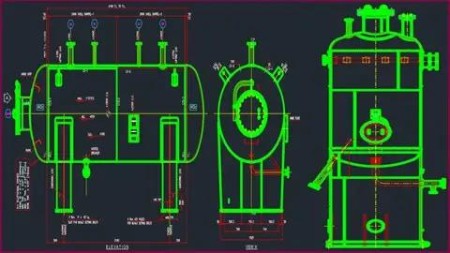
AutoCAD Pressure Vessel Designer Course 2016-2022
MP4 | Video: h264, 1280x720 | Audio: AAC, 44.1 KHz, 2 Ch
Genre: eLearning | Language: English + srt | Duration: 269 lectures (23h 15m) | Size: 10.5 GB
Complete AutoCAD 2D with Advanced Pressure Vessel Projects Based Training
What you'll learn
To learn all basic and advanced AutoCAD 2D toolbars
To learn advanced Blocks and Dynamic Block
To Prepare for AutoCAD Interview and Exams
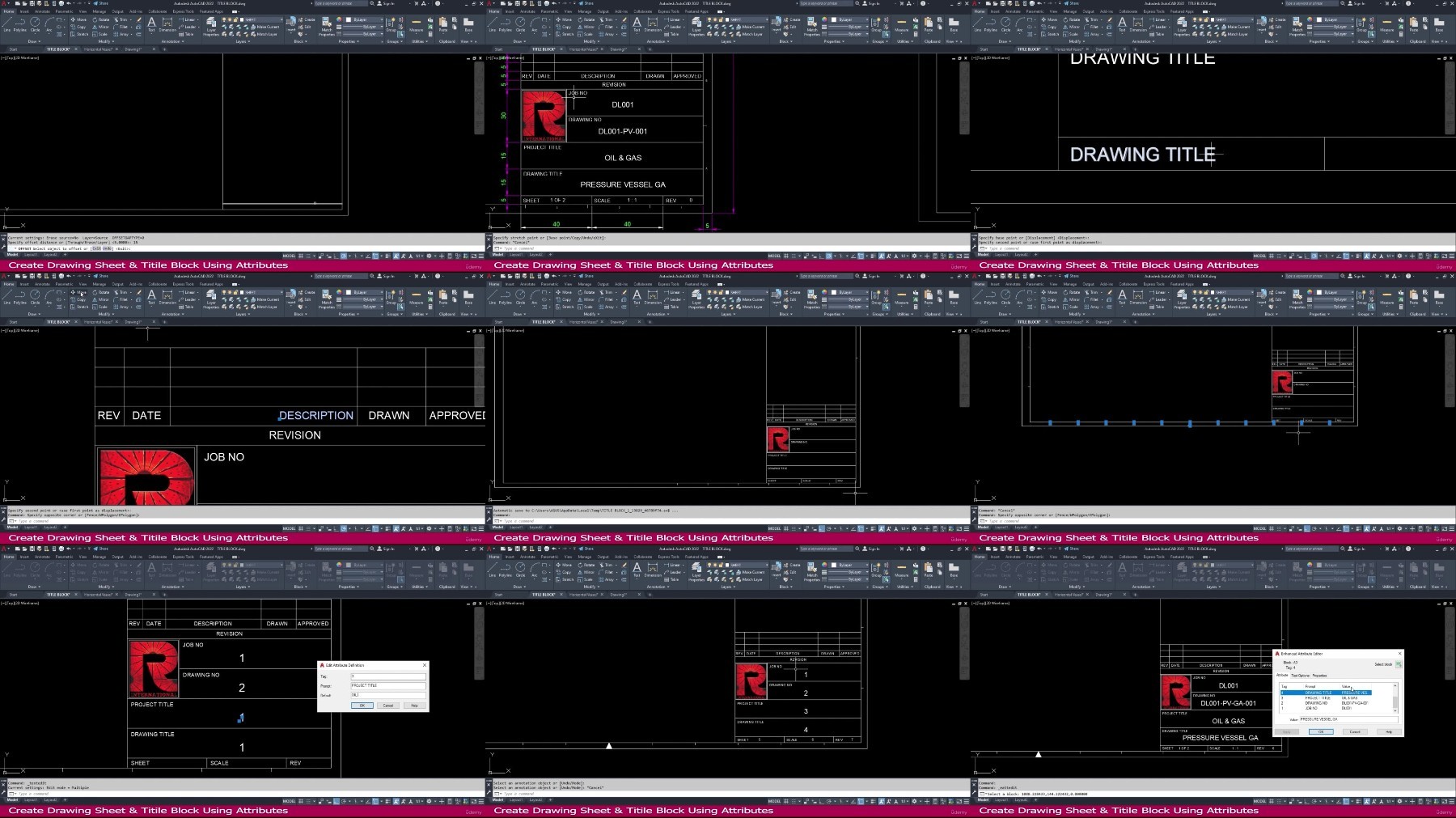
To Create Drawing Sheet, BOM and Layout usage
To learn Sheet set Manager and Xref Features
To learn Annotative Features
To learn Pressure vessel and Heat Exchanger drawing for Oil & Gas and process industries
Requirements
Basic Knowledge of Engineering
Laptop / Computer (With AutoCAD 2022 Version)
Description
AutoCAD one of the most powerful design and drafting software. All the engineering professionals must to learn this software. This course will make you better professional AutoCAD Designer or Engineer. All the Tools and command clearly explained and practically made for all level students.
Pressure Vessel Designer, Mechanical Engineers and all kind of AutoCAD users this course will helps you to improve your design and drafting knowledge in professional way
Well planned training and clear explanation of AutoCAD tools
This course will teach you all the basic and advanced feature of AutoCAD 2D
This course will teach you to create accurate dimensional objects
This course will teach you layers functions and its management
This course will teach you various status bar actions
This course will teach you Quick tools operations
This course will teach you better understanding of model space and layout space
This course will teach you to create drawing sheets with using attributes and fields
This course will teach you to create blocks and advanced level dynamic blocks
This course will teach you to work with parametric features using Geometric and dimensional constraints
This course will teach you to create sheet set manager and advanced features of view port control
This course will teach you to work with external references
This course will teach you to create Annotative objects and its uses
This course will teach you how to use express tool
Practice drawing and quizzes at the end of every section
Advanced practice and projects in end of this course
After this course you will get knowledge to handle Any AutoCAD related jobs. Specially it will helps to improve Pressure Vessel design and drafting knowledge.
Don't wait, Let's Start your good Steps in your life
Best of Luck
Who this course is for
AutoCAD beginners
AutoCAD advanced learners
Anyone interested in AutoCAD
AutoCAD Modeler
AutoCAD Detailer
AutoCAD Designer
AutoCAD Draftsman
Mechanical Engineers
Design Engineers
Anyone interested in AutoCAD
Anyone interested in Oil & Gas
Anyone interested in Process plant
Cad Operator
Cad Supervisor
Fabricator
Welder
AutoCAD Supervisor
Worker
Mechanical Designer
Mechanical Draftsman
Anyone interested in pressure vessel
Anyone interested in pressure parts
Anyone interested in Heat Exchangers
https://fikper.com/X5ITZCsLv6/Udemy_AutoCAD_Pressure_Vessel_Designer_Course_2016_2022.part1.rar.html
https://fikper.com/IuMuM5ODJV/Udemy_AutoCAD_Pressure_Vessel_Designer_Course_2016_2022.part2.rar.html
https://fikper.com/XnyhGAAOug/Udemy_AutoCAD_Pressure_Vessel_Designer_Course_2016_2022.part3.rar.html
https://fikper.com/eoyEM6Lr82/Udemy_AutoCAD_Pressure_Vessel_Designer_Course_2016_2022.part4.rar.html
https://fikper.com/Y4Y21hWTlK/Udemy_AutoCAD_Pressure_Vessel_Designer_Course_2016_2022.part5.rar.html
https://fikper.com/WZXLe09vE3/Udemy_AutoCAD_Pressure_Vessel_Designer_Course_2016_2022.part6.rar.html
https://fikper.com/IUum6ytthu/Udemy_AutoCAD_Pressure_Vessel_Designer_Course_2016_2022.part7.rar.html
https://fikper.com/n2zb7JMWiv/Udemy_AutoCAD_Pressure_Vessel_Designer_Course_2016_2022.part8.rar.html
https://rapidgator.net/file/7cbaa0390d23cf8450093ef44d3683f4/Udemy_AutoCAD_Pressure_Vessel_Designer_Course_2016_2022.part1.rar
https://rapidgator.net/file/dc1656030c0e4bb4c322f6d8209c18e1/Udemy_AutoCAD_Pressure_Vessel_Designer_Course_2016_2022.part2.rar
https://rapidgator.net/file/496335ab51bcc88e37790e0b92580cb0/Udemy_AutoCAD_Pressure_Vessel_Designer_Course_2016_2022.part3.rar
https://rapidgator.net/file/b79625a68a978007c2f32f443591342d/Udemy_AutoCAD_Pressure_Vessel_Designer_Course_2016_2022.part4.rar
https://rapidgator.net/file/1569d7063ac539b585ffa534162fe6a5/Udemy_AutoCAD_Pressure_Vessel_Designer_Course_2016_2022.part5.rar
https://rapidgator.net/file/eb1a5567444d738b4292da064a5d96d0/Udemy_AutoCAD_Pressure_Vessel_Designer_Course_2016_2022.part6.rar
https://rapidgator.net/file/49ac9f73cafff94ff9991f3f530f0589/Udemy_AutoCAD_Pressure_Vessel_Designer_Course_2016_2022.part7.rar
https://rapidgator.net/file/08388c74523f21ac58c13a5f01cd5014/Udemy_AutoCAD_Pressure_Vessel_Designer_Course_2016_2022.part8.rar
https://filestore.me/xl9eu9msxhhd/Udemy_AutoCAD_Pressure_Vessel_Designer_Course_2016_2022.part1.rar
https://filestore.me/b894rtjb748v/Udemy_AutoCAD_Pressure_Vessel_Designer_Course_2016_2022.part2.rar
https://filestore.me/1rsb91wwme6p/Udemy_AutoCAD_Pressure_Vessel_Designer_Course_2016_2022.part3.rar
https://filestore.me/0dflta3qhlgb/Udemy_AutoCAD_Pressure_Vessel_Designer_Course_2016_2022.part4.rar
https://filestore.me/2k4o4dl5yf3b/Udemy_AutoCAD_Pressure_Vessel_Designer_Course_2016_2022.part5.rar
https://filestore.me/oa9yhe1s70yl/Udemy_AutoCAD_Pressure_Vessel_Designer_Course_2016_2022.part6.rar
https://filestore.me/rli35zryz3iq/Udemy_AutoCAD_Pressure_Vessel_Designer_Course_2016_2022.part7.rar
https://filestore.me/1m9keng08scy/Udemy_AutoCAD_Pressure_Vessel_Designer_Course_2016_2022.part8.rar
What you'll learn
To learn all basic and advanced AutoCAD 2D toolbars
To learn advanced Blocks and Dynamic Block
To Prepare for AutoCAD Interview and Exams
To Create Drawing Sheet, BOM and Layout usage
To learn Sheet set Manager and Xref Features
To learn Annotative Features
To learn Pressure vessel and Heat Exchanger drawing for Oil & Gas and process industries
Requirements
Basic Knowledge of Engineering
Laptop / Computer (With AutoCAD 2022 Version)
Description
AutoCAD one of the most powerful design and drafting software. All the engineering professionals must to learn this software. This course will make you better professional AutoCAD Designer or Engineer. All the Tools and command clearly explained and practically made for all level students.
Pressure Vessel Designer, Mechanical Engineers and all kind of AutoCAD users this course will helps you to improve your design and drafting knowledge in professional way
Well planned training and clear explanation of AutoCAD tools
This course will teach you all the basic and advanced feature of AutoCAD 2D
This course will teach you to create accurate dimensional objects
This course will teach you layers functions and its management
This course will teach you various status bar actions
This course will teach you Quick tools operations
This course will teach you better understanding of model space and layout space
This course will teach you to create drawing sheets with using attributes and fields
This course will teach you to create blocks and advanced level dynamic blocks
This course will teach you to work with parametric features using Geometric and dimensional constraints
This course will teach you to create sheet set manager and advanced features of view port control
This course will teach you to work with external references
This course will teach you to create Annotative objects and its uses
This course will teach you how to use express tool
Practice drawing and quizzes at the end of every section
Advanced practice and projects in end of this course
After this course you will get knowledge to handle Any AutoCAD related jobs. Specially it will helps to improve Pressure Vessel design and drafting knowledge.
Don't wait, Let's Start your good Steps in your life
Best of Luck
Who this course is for
AutoCAD beginners
AutoCAD advanced learners
Anyone interested in AutoCAD
AutoCAD Modeler
AutoCAD Detailer
AutoCAD Designer
AutoCAD Draftsman
Mechanical Engineers
Design Engineers
Anyone interested in AutoCAD
Anyone interested in Oil & Gas
Anyone interested in Process plant
Cad Operator
Cad Supervisor
Fabricator
Welder
AutoCAD Supervisor
Worker
Mechanical Designer
Mechanical Draftsman
Anyone interested in pressure vessel
Anyone interested in pressure parts
Anyone interested in Heat Exchangers
https://fikper.com/X5ITZCsLv6/Udemy_AutoCAD_Pressure_Vessel_Designer_Course_2016_2022.part1.rar.html
https://fikper.com/IuMuM5ODJV/Udemy_AutoCAD_Pressure_Vessel_Designer_Course_2016_2022.part2.rar.html
https://fikper.com/XnyhGAAOug/Udemy_AutoCAD_Pressure_Vessel_Designer_Course_2016_2022.part3.rar.html
https://fikper.com/eoyEM6Lr82/Udemy_AutoCAD_Pressure_Vessel_Designer_Course_2016_2022.part4.rar.html
https://fikper.com/Y4Y21hWTlK/Udemy_AutoCAD_Pressure_Vessel_Designer_Course_2016_2022.part5.rar.html
https://fikper.com/WZXLe09vE3/Udemy_AutoCAD_Pressure_Vessel_Designer_Course_2016_2022.part6.rar.html
https://fikper.com/IUum6ytthu/Udemy_AutoCAD_Pressure_Vessel_Designer_Course_2016_2022.part7.rar.html
https://fikper.com/n2zb7JMWiv/Udemy_AutoCAD_Pressure_Vessel_Designer_Course_2016_2022.part8.rar.html
https://rapidgator.net/file/7cbaa0390d23cf8450093ef44d3683f4/Udemy_AutoCAD_Pressure_Vessel_Designer_Course_2016_2022.part1.rar
https://rapidgator.net/file/dc1656030c0e4bb4c322f6d8209c18e1/Udemy_AutoCAD_Pressure_Vessel_Designer_Course_2016_2022.part2.rar
https://rapidgator.net/file/496335ab51bcc88e37790e0b92580cb0/Udemy_AutoCAD_Pressure_Vessel_Designer_Course_2016_2022.part3.rar
https://rapidgator.net/file/b79625a68a978007c2f32f443591342d/Udemy_AutoCAD_Pressure_Vessel_Designer_Course_2016_2022.part4.rar
https://rapidgator.net/file/1569d7063ac539b585ffa534162fe6a5/Udemy_AutoCAD_Pressure_Vessel_Designer_Course_2016_2022.part5.rar
https://rapidgator.net/file/eb1a5567444d738b4292da064a5d96d0/Udemy_AutoCAD_Pressure_Vessel_Designer_Course_2016_2022.part6.rar
https://rapidgator.net/file/49ac9f73cafff94ff9991f3f530f0589/Udemy_AutoCAD_Pressure_Vessel_Designer_Course_2016_2022.part7.rar
https://rapidgator.net/file/08388c74523f21ac58c13a5f01cd5014/Udemy_AutoCAD_Pressure_Vessel_Designer_Course_2016_2022.part8.rar
https://filestore.me/xl9eu9msxhhd/Udemy_AutoCAD_Pressure_Vessel_Designer_Course_2016_2022.part1.rar
https://filestore.me/b894rtjb748v/Udemy_AutoCAD_Pressure_Vessel_Designer_Course_2016_2022.part2.rar
https://filestore.me/1rsb91wwme6p/Udemy_AutoCAD_Pressure_Vessel_Designer_Course_2016_2022.part3.rar
https://filestore.me/0dflta3qhlgb/Udemy_AutoCAD_Pressure_Vessel_Designer_Course_2016_2022.part4.rar
https://filestore.me/2k4o4dl5yf3b/Udemy_AutoCAD_Pressure_Vessel_Designer_Course_2016_2022.part5.rar
https://filestore.me/oa9yhe1s70yl/Udemy_AutoCAD_Pressure_Vessel_Designer_Course_2016_2022.part6.rar
https://filestore.me/rli35zryz3iq/Udemy_AutoCAD_Pressure_Vessel_Designer_Course_2016_2022.part7.rar
https://filestore.me/1m9keng08scy/Udemy_AutoCAD_Pressure_Vessel_Designer_Course_2016_2022.part8.rar
We need your support!
Make a donation to help us stay online

Bitcoin (BTC)
bc1q08g9d22cxkawsjlf8etuek2pc9n2a3hs4cdrld

Bitcoin Cash (BCH)
qqvwexzhvgauxq2apgc4j0ewvcak6hh6lsnzmvtkem

Ethereum (ETH)
0xb55513D2c91A6e3c497621644ec99e206CDaf239

Litecoin (LTC)
ltc1qt6g2trfv9tjs4qj68sqc4uf0ukvc9jpnsyt59u

USDT (ERC20)
0xb55513D2c91A6e3c497621644ec99e206CDaf239

USDT (TRC20)
TYdPNrz7v1P9riWBWZ317oBgJueheGjATm