Published 04/2022
MP4 | Video: h264, 1280x720 | Audio: AAC, 44.1 KHz, 2 Ch
Genre: eLearning | Language: English + srt | Duration: 22 lectures (2h 7m) | Size: 937.1 MB
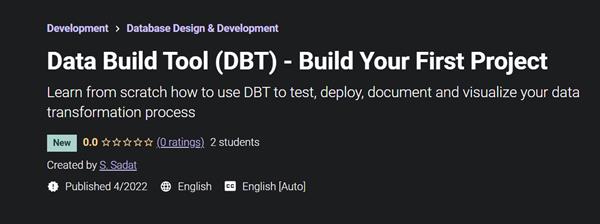
Learn from scratch how to use DBT to test, deploy, document and visualize your data transformation process
What you'll learn
Learn how to use the DBT command line tool
Test data quality, integration, and code performance.
Manually run scripts that will then run automated tests and deploy changes after passing said tests.
Publish both public and private repositories using Dbt built-in package manager.
Deploy a dbt project after merging updated code in git.
Automatically create a visual representation of how data flows throughout your organization.
Easily create documentation through schema files.
Requirements
Knowledge of working with data
Description
Before loading data into a centralized data warehouse, it must be cleaned up, made consistent, and combined as necessary. In other words, data must be transformed - the "T" in ETL (extract, transform, load) and ELT. This allows an organization to develop valuable, trust-worthy insights through analytics and reporting.
DBT enables data analysts and data engineers to automate the testing and deployment of the data transformation process. This is especially useful because many companies have increasingly complex business logic behind their reporting data. The DBT tool keeps a record of all changes made to the underlying logic and makes it easy to trace data and update or fix the pipeline through version control.
In this course you will learn
Install DBT, initialize a new project and then publish your project to a GitHub repository.
Learn how to add sources to your DBT project and add them to your model scripts using the Jijna templates.
Learn how DBT translates the combination of SQL and Jijna functions into a pure SQL script that you can use to debug your model logic.
Allter the default DBT settings so that you can deploy to custom models based on your DBTproject folders.
Foundation for how tests are run and how you can use them to debug any errors to ensure data quality.
Materializations are strategies for persisting DBT models in a warehouse. Learn how to adjust this setting in your project.
Package management and DBT Hub.
Using the built-in DBT docs command to serve your files up as a website. You can either view the site locally or host it on a separate web server for others to see.
Use DBT Seeds to work with static CSV data
Learn the process of creating a custom schema test, overriding the default tests and finally where to find some pre-packaged schema tests that may save you the time of writing your own.
Learn to use the two ways that DBT allows you to define variables - In the dbt_project.yml file and on the command line.
Use hooks to simplify repetitive dbt run activities
Simplify dbt documentation with docs blocks as sometimes your documentation becomes a bit complex to the point where it would be better to write it outside of your YML file. Or perhaps you find you are re-writing the same definition multiple times.
Learn the syntax of the freshness block and how it works under the hood to define the acceptable amount of time between the most recent record, and now, for a table to be considered "fresh".
Learn how to add query tags to a DBT project and then review the results in Snowflake.
Learn the manifest.json artifact and review step-by-step how to use the state method to only run modified models.
The multi-repo approach - how to structure DBT projects
Audit your DBT runs by using {{ invocation_id }}
The process of installing DBT into a virtual environment on windows, and look at how to install DBT directly from DBT core (GitHub) rather than by using pip.
Clean DBT project files, run/test models in group, and use EPHEMERAL DBT model
All project files used in this course are provided for students to use along the way.
Who this course is for
Data Analysts
Data Engineers
Database Administrators
Students
Homepage
https://www.udemy.com/course/data-build-tool-dbt-build-your-first-project/Buy Premium From My Links To Get Resumable Support,Max Speed & Support Me
https://hot4share.com/i7nyg5hsmr6b/cdya4.D.B.T.D..B.Y.F.P.rar.html
Download (Uploadgig)
https://uploadgig.com/file/download/a404eC3b7f022870/cdya4.D.B.T.D..B.Y.F.P.rar
Download ( Rapidgator )
https://rapidgator.net/file/d7d69cf1471512b6fad0a238d32d60ec/cdya4.D.B.T.D..B.Y.F.P.rar.html
Download ( NitroFlare )
https://nitro.download/view/72499CAC4E775AC/cdya4.D.B.T.D..B.Y.F.P.rar
Links are Interchangeable - No Password - Single Extraction
We need your support!
Make a donation to help us stay online

Bitcoin (BTC)
bc1q08g9d22cxkawsjlf8etuek2pc9n2a3hs4cdrld

Bitcoin Cash (BCH)
qqvwexzhvgauxq2apgc4j0ewvcak6hh6lsnzmvtkem

Ethereum (ETH)
0xb55513D2c91A6e3c497621644ec99e206CDaf239

Litecoin (LTC)
ltc1qt6g2trfv9tjs4qj68sqc4uf0ukvc9jpnsyt59u

USDT (ERC20)
0xb55513D2c91A6e3c497621644ec99e206CDaf239

USDT (TRC20)
TYdPNrz7v1P9riWBWZ317oBgJueheGjATm