ClassicMenu 4.76 | Size: 1.61 MB
Language: English
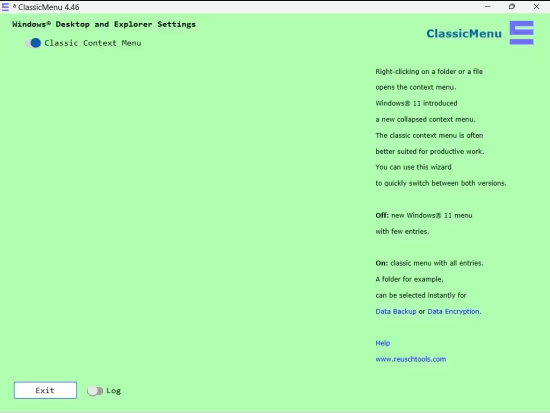
ClassicMenu offers a straightforward solution for Windows 11 users who wish to switch between the context menus of Windows 11 and Windows 10. Upon launching the app, users can quickly and easily adjust the context menu style without any additional settings or configurations.
When using Windows 11, you may find the collapsed context menu that appears after right-clicking on a file or folder less efficient or confusing. ClassicMenu offers a way to switch to the Windows 10 style, which many users find more productive and user-friendly. With ClassicMenu, the changes take effect immediately, allowing you to continue your work without further disruption.
Whether you prefer the previous context menu of Windows 10 or find it more convenient for your workflow, ClassicMenu provides a simple and effective solution for switching back.
System Requirements: Windows 11, Windows 10, 8 , 7
DOWNLOAD LINKS:
We need your support!
Make a donation to help us stay online

Bitcoin (BTC)
bc1q08g9d22cxkawsjlf8etuek2pc9n2a3hs4cdrld

Bitcoin Cash (BCH)
qqvwexzhvgauxq2apgc4j0ewvcak6hh6lsnzmvtkem

Ethereum (ETH)
0xb55513D2c91A6e3c497621644ec99e206CDaf239

Litecoin (LTC)
ltc1qt6g2trfv9tjs4qj68sqc4uf0ukvc9jpnsyt59u

USDT (ERC20)
0xb55513D2c91A6e3c497621644ec99e206CDaf239

USDT (TRC20)
TYdPNrz7v1P9riWBWZ317oBgJueheGjATm