File size: 2.1 MB
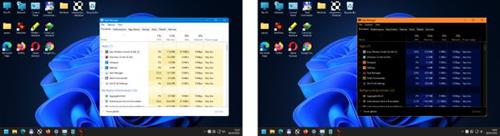
Easy Window Invert visually changes the display of windows. By using the software, you can significantly increase the user experience. It allows color-blind as well as visually impaired users to use the computer.
You can use Easy Window Invert to create dark mode for software that does not have a dark mode. If there is an annoying contrast difference between the active window and the rest of the screen, it can cover the distracting parts of the screen using a hotkey-activated background panel.
In a multi-monitor system, you can set one of the screens as an inverted screen. In this case, the windows you want to invert may appear on the selected screen. The other screens still allow normal display.
Easy Window Invert carries out display changes by using various color filters. Each color filter replaces certain colors with other colors based on their own settings. You can also use custom color filters. The software provides several options for setting custom color filters.
Easy Window Invert supports Windows 10 and 11 operating systems.
https://www.wintools.info/index.php/easy-window-invert-changelogHomepage:
https://www.wintools.info/Download link
rapidgator.net:
nitroflare.com:
We need your support!
Make a donation to help us stay online

Bitcoin (BTC)
bc1q08g9d22cxkawsjlf8etuek2pc9n2a3hs4cdrld

Bitcoin Cash (BCH)
qqvwexzhvgauxq2apgc4j0ewvcak6hh6lsnzmvtkem

Ethereum (ETH)
0xb55513D2c91A6e3c497621644ec99e206CDaf239

Litecoin (LTC)
ltc1qt6g2trfv9tjs4qj68sqc4uf0ukvc9jpnsyt59u

USDT (ERC20)
0xb55513D2c91A6e3c497621644ec99e206CDaf239

USDT (TRC20)
TYdPNrz7v1P9riWBWZ317oBgJueheGjATm