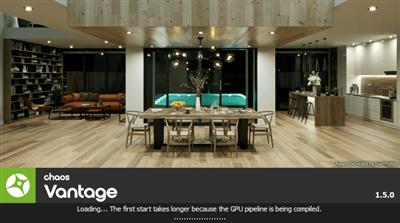
Chaos Vantage 2.1 (x64)
File Size: 273 MB
File Size: 273 MB
Explore your most complex 3D production scenes ray traced in real-time. With Chaos Vantage, there are no time-consuming conversions. Simply drag and drop your complete V-Ray scene into Vantage and start exploring. There's also a direct live link available from 3ds Max, so you can use it just like a viewport.
Chaos Vantage requires an NVIDIA RTX series GPU.
Features
Zero setup
Drag and drop your V-Ray scene into Chaos Vantage and start exploring. Unlike other real-time solutions, there's no geometry to optimize, UVs to unwrap, or lighting to bake.
Go big!
Chaos Vantage is built to handle huge scenes and billions of polygons. It's the fastest way for you to see your most detailed V-Ray scenes in real-time.
Easy to navigate
Navigating your scene is easy. Use controls similar to your 3D app, or move around just like playing a game. Walk up stairs and avoid walking through walls with automatic collision detection.
100% ray-traced quality
With fully raytraced and real-time rendering, Chaos Vantage uses physically based cameras, lights, materials, and global illumination for the most realistic results.
Simple and fast animation
Perfect for previsualization, you can create, edit, and render animation right from Chaos Vantage. Easily animate between cameras, apply transitions, arrange your sequence in the Animation Editor.
Live link
Get a live raytraced view of your scene with a live link from 3ds Max. Changes you make in your 3ds Max scene will instantly appear in Chaos Vantage.
What's New
- Fixed live link animation started with Vantage UI rendering the same frame over and over
- Fixed live link animation synchronization in 3ds Max
- Fixed deleting an instance of an appended scene resulting in incorrectly saved .vantage file
- Fixed excessive shared GPU memory usage with certain large .OBJ scenes
- Fixed HDR rotation not importing with vrscene generated from Revit
- Fixed default up direction (now Y) for OBJ and 3DS files
- Fixed camera view getting reset to the original camera after placing an asset
- Fixed issue when pressing ESC while dragging a tool
- Fixed UI issues when switching between Still and Sequence in the render dialog
- Improved rendering: Results now better match the VRayUVWRandomizer in V-Ray for Cinema4D
- Improved UI: Added progress indication when reading third party file formats
- Improved UX: Place tool now locks object orientation while Shift is pressed
- Improved UX: Load sample HDR file when opening non-vrscene files
Homepage
https://www.chaosgroup.com/Download link
rapidgator.net:
uploadgig.com:
nitroflare.com:
We need your support!
Make a donation to help us stay online

Bitcoin (BTC)
bc1q08g9d22cxkawsjlf8etuek2pc9n2a3hs4cdrld

Bitcoin Cash (BCH)
qqvwexzhvgauxq2apgc4j0ewvcak6hh6lsnzmvtkem

Ethereum (ETH)
0xb55513D2c91A6e3c497621644ec99e206CDaf239

Litecoin (LTC)
ltc1qt6g2trfv9tjs4qj68sqc4uf0ukvc9jpnsyt59u

USDT (ERC20)
0xb55513D2c91A6e3c497621644ec99e206CDaf239

USDT (TRC20)
TYdPNrz7v1P9riWBWZ317oBgJueheGjATm