FonePaw iPhone Data Recovery v8.8.0 Multilingual
File size: 97 MB
Accidentally delete important iPhone files? Jailbreak failure of iOS devices? Hardware or system Malfunction? iPhone Data Recovery is specially designed to help you recover deleted photos, videos, messages, contacts, call history, notes, etc. from iPhone directly or extract backup files from iTunes & iCloud to restore deleted files, so that you can save them on your computer or Mac with one easy click.
Features:
3 Options Enable You To Recover Lost Data
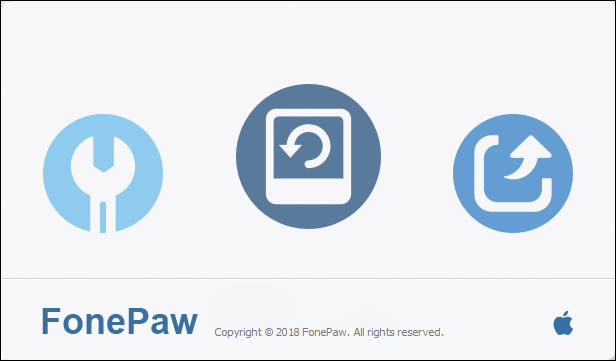
Don't be afraid to lose data, iPhone Data Recovery helps you get them back. This mobile expert offers 3 recovery modes to recover deleted files from iPhone, iPad and iPod touch.
Recover from iDevice Directly
Just plug iPhone/iPad/iPod touch into computer/Mac and launch this terrific software, you can directly recover contacts, photos, messages and more from your iOS device, even if your device is damaged or dropped into water.
Recover from iTunes Backup
Every time you connect your iDevice to computer, iTunes will automatically create a backup for your device. Whenever you want to restore data from iTunes, you can count on iPhone Data Recovery, which can recover all types data from iTunes backup files in a few clicks.
Recover from iCloud Backup
Since iCloud will back up photos, contacts, messages, etc. when your device is connected to Wi-Fi, you can also extract iCloud backup files to recover what you want. You just need to sign in iCloud with Apple ID and password in this software, and iPhone Data Recovery will do the rest for you
Supported Recovered Files from Any iOS Device:
iPad
iPad Air 2
iPad Air
iPad mini with Retina display
iPad 4
iPad mini 2
iPad mini
iPad 3
iPad 2
iPad
iPhone
iPhone 6/6 Plus
iPhone 5s/5c/5
iPhone 4s
iPhone 4/3GS
iPod
iPod touch 5
iPod touch 4
Recoverable Text Content:
Contacts
Messages
Call History
Calendar
Notes
Reminder
Safari Bookmark
App Documents
Recoverable Media Content:
Media files can be recovered from iTunes or iCloud backups. You can only get the thumbnails of photos and videos when switching to "Recover from iOS Device Directly".
Camera Roll
Photo Library
Photo Stream
Voice Memos
Message Attachments
VoiceMail
WhatsApp Attachments
App Photos
App Videos
App Audio
System Requirements:
- Windows OS: Windows 8.1/8/7/Vista/XP (32 bit or 64 bit)
- Mac OS: Mac OS 10.10 / 10.9 / 10.8 / 10.7
- CPU: 1GHz Intel/AMD CPU or above
- RAM: 512 MB or more (1024MB Recommended)
- Resolution: 1024x768 display or above
- Hard Disk Space: 1G and above free space
- Others: Apple Device Driver & iTunes pre-installed
Download link :
(If you need these, buy and download immediately before they are delete)
(If you need these, buy and download immediately before they are delete)
Links are Interchangeable - Single Extraction - Premium is support resumable
We need your support!
Make a donation to help us stay online

Bitcoin (BTC)
bc1q08g9d22cxkawsjlf8etuek2pc9n2a3hs4cdrld

Bitcoin Cash (BCH)
qqvwexzhvgauxq2apgc4j0ewvcak6hh6lsnzmvtkem

Ethereum (ETH)
0xb55513D2c91A6e3c497621644ec99e206CDaf239

Litecoin (LTC)
ltc1qt6g2trfv9tjs4qj68sqc4uf0ukvc9jpnsyt59u

USDT (ERC20)
0xb55513D2c91A6e3c497621644ec99e206CDaf239

USDT (TRC20)
TYdPNrz7v1P9riWBWZ317oBgJueheGjATm