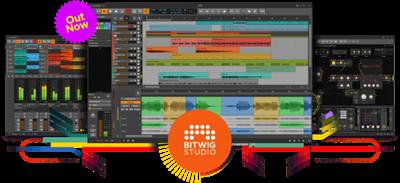
Bitwig Studio v4.0.1 x64
File Size : 279 MB
Bitwig Studio 1 was hello, world! Version 2 brought program-wide modulators and CV integration. Version 3 saw the birth of The Grid, our modular sound-design environment. And for version 4, new musical timelines have arrived.
This means comping for audio clips, both in the Clip Launcher and the Arranger. A new set of Operators, for changing the chance, recurrence, and more of any note or audio event. Random Spread for any expression point (like per-note pitch, or audio panning) with perfect control. And Native Apple Silicon support on Mac, even allowing Intel and ARM plug-ins to work side-by-side.
Welcome to Bitwig Studio 4.
Audio Comping, Anywhere the Clip Goes
Since the invention of studio recording, our task has been to create the perfect performance. Comping allows you to combine the best parts of many takes, and Bitwig Studio provides this and more.
Each take is given its own color so from the first swipe of a take lane, the sources are clear. To swap in a different take, just tap it. Then press the up or down arrow to cycle thru the other takes. From the composite lane, move a boundary by clicking, adjust gain by dragging, or fix timing by sliding.
Since we have a Launcher and an Arranger, comping lives inside the audio clip. So if you are composing in the Launcher, just click to enable comp recording right there. Or just drag clips in either direction with your takes safely inside. Even open the layered editor when multiple comps belong together. Comping works wherever you are, now and later.
And since all good techniques deserve a new trick, right-click any audio clip to Fold To Takes. If you ask for an eight-bar comp, the entire clip will be spooled into take lanes, and the comping can begin. Or just drag audio in to add a new take lane. The stranger the sources, the newer the result.
Comping In Action With Tauri
Learn how experimental pop duo Tauri used the comping workflow in Bitwig Studio 4 when producing their song "In The Dark." The song is out on all major music platforms, and it's also available in Bitwig Studio 4 as a full Bitwig demo project for you to explore and remix.
Meet Tauri and get a behind-the-scenes view of their comping workflow in this in-depth artist story.
Operators: Maybe the Best Loops Don't
Modulation has always been a centerpiece of Bitwig Studio. Modulators have been there all along, putting device parameters into motion. And now with Operators, sequenced note and audio events can become electric too. This leads to clips that go to different possibilities and timelines, either by programming, by performance control, or by destiny.
Anti-Loops
Bitwig Studio 4 sees the arrival of comping for audio clips and Operators for all sequenced events. The brand-new sound package Anti-Loops uses these features to push the idea of what a loop is to the breaking point, with 100+ clips crafted by expert sound designers like Cristian Vogel, Pat Cupo, Polarity and others.
Download link :
(If you need these, buy and download immediately before they are delete)
(If you need these, buy and download immediately before they are delete)
Links are Interchangeable - Single Extraction - Premium is support resumable
We need your support!
Make a donation to help us stay online

Bitcoin (BTC)
bc1q08g9d22cxkawsjlf8etuek2pc9n2a3hs4cdrld

Bitcoin Cash (BCH)
qqvwexzhvgauxq2apgc4j0ewvcak6hh6lsnzmvtkem

Ethereum (ETH)
0xb55513D2c91A6e3c497621644ec99e206CDaf239

Litecoin (LTC)
ltc1qt6g2trfv9tjs4qj68sqc4uf0ukvc9jpnsyt59u

USDT (ERC20)
0xb55513D2c91A6e3c497621644ec99e206CDaf239

USDT (TRC20)
TYdPNrz7v1P9riWBWZ317oBgJueheGjATm