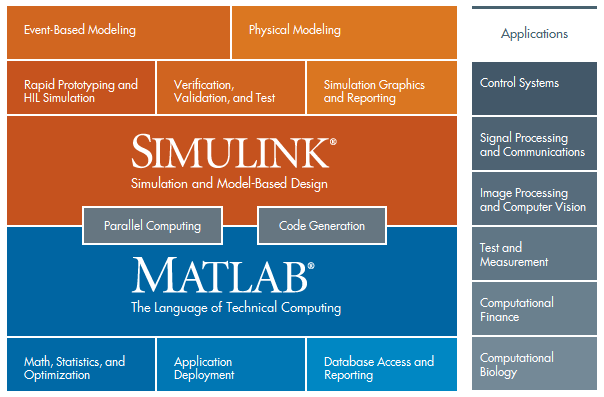
Mathworks Matlab R2020a 9.8.0 Update 1-2 macOS
The distribution of minor (minor) updates (bug fixes) for Matlab and main (major) version they do not change. Not necessarily all of the hand pump, only the necessary updates / platform can be selected (although, of course, support the distribution of seeding all of its volume is very appreciated). I have not tested the installation of all versions for all platforms ... too time consuming ... so feel free to unsubscribe problems (including solutions found).
Description of the changes included in the update - in a PDF-file.
Changing set Matlab components via its baseline installer already after the update is not officially supported. You need to remove and re-deliver Matlab with an updated set of components, and then install the update.
When you install the update for Windows, you must first mount the appropriate ISO-file in a virtual drive and then install by running / bin / /update_installer.exe -updatepackage "". Under other systems, in general, is similar. Read more HERE
Under Windows, you might be more convenient to use an auxiliary file on the mounted Update.cmd of ISO-file disk. At the same time, if you have Matlab installed in the default folder (C: \ Program Files \ Polyspace \ R2020a), you can simply run Update.cmd on behalf of the Administrator (to have access to records in Matlab folder) and everything.
If Matlab is not installed in the default folder, you need to modify Update.cmd, prescribing to him the right way to Matlab:
1. The easiest way - is to run this file from the command line (command prompt with administrator rights), the first parameter specifying the folder you specified when you install the Matlab (eg, Update.cmd C: \ Math \ Matlab \ 908)
2. You can set the environment variable FOLDER_MATLAB98, specifying the correct path Matlab installation. In this case, you will be able to put all future version upgrades just starting Update.cmd
3. You can set the environment variable FOLDER_MATLAB98 the command line (such as set FOLDER_MATLAB98 = C: \ Math \ Matlab \ 908), and then run without any parameters Update.cmd
4. You can copy somewhere Update.cmd and set the correct folder for the location and Matlab files with the updates from the first two lines of the file (for example, "set FOLDER_MATLAB98DEFAULT = C: \ Math \ Matlab \ 908" and "set FOLDER_UPDATE = Z: \ "where Z - drive letter where you have mounted the ISO-image) and run retouched Update.cmd (again for access rights you may have to run with administrator privileges)
PLEASE SUPPORT ME BY CLICK ONE OF MY LINKS IF YOU WANT BUYING OR EXTENDING YOUR ACCOUNT
http://nitroflare.com/view/04186050654CDE3/Matlab908Updates.MacOSX64.part1.rar
http://nitroflare.com/view/B203BB65AFCF4EB/Matlab908Updates.MacOSX64.part2.rar
http://nitroflare.com/view/A45AD73C04EF365/Matlab908Updates.MacOSX64.part3.rar
https://rapidgator.net/file/d3314ec615df7e2beba6a5a66eebbae3/Matlab908Updates.MacOSX64.part1.rar
https://rapidgator.net/file/b4bf9a2b39848ac35248e5ee770cdda2/Matlab908Updates.MacOSX64.part2.rar
https://rapidgator.net/file/94d1cb9c68c49902ae6c8446164ac2ac/Matlab908Updates.MacOSX64.part3.rar
https://uploadgig.com/file/download/34c38671B69184cc/Matlab908Updates.MacOSX64.part1.rar
https://uploadgig.com/file/download/a9B8b32D541405eC/Matlab908Updates.MacOSX64.part2.rar
https://uploadgig.com/file/download/6F14256c7F6ae01D/Matlab908Updates.MacOSX64.part3.rar
http://nitroflare.com/view/04186050654CDE3/Matlab908Updates.MacOSX64.part1.rar
http://nitroflare.com/view/B203BB65AFCF4EB/Matlab908Updates.MacOSX64.part2.rar
http://nitroflare.com/view/A45AD73C04EF365/Matlab908Updates.MacOSX64.part3.rar
https://rapidgator.net/file/d3314ec615df7e2beba6a5a66eebbae3/Matlab908Updates.MacOSX64.part1.rar
https://rapidgator.net/file/b4bf9a2b39848ac35248e5ee770cdda2/Matlab908Updates.MacOSX64.part2.rar
https://rapidgator.net/file/94d1cb9c68c49902ae6c8446164ac2ac/Matlab908Updates.MacOSX64.part3.rar
https://uploadgig.com/file/download/34c38671B69184cc/Matlab908Updates.MacOSX64.part1.rar
https://uploadgig.com/file/download/a9B8b32D541405eC/Matlab908Updates.MacOSX64.part2.rar
https://uploadgig.com/file/download/6F14256c7F6ae01D/Matlab908Updates.MacOSX64.part3.rar
We need your support!
Make a donation to help us stay online

Bitcoin (BTC)
bc1q08g9d22cxkawsjlf8etuek2pc9n2a3hs4cdrld

Bitcoin Cash (BCH)
qqvwexzhvgauxq2apgc4j0ewvcak6hh6lsnzmvtkem

Ethereum (ETH)
0xb55513D2c91A6e3c497621644ec99e206CDaf239

Litecoin (LTC)
ltc1qt6g2trfv9tjs4qj68sqc4uf0ukvc9jpnsyt59u

USDT (ERC20)
0xb55513D2c91A6e3c497621644ec99e206CDaf239

USDT (TRC20)
TYdPNrz7v1P9riWBWZ317oBgJueheGjATm