OneNoteGem Gem for OneNote 2024 v71.1.0.349

Posted by: Kalpatru on 23-04-2024, 11:13
OneNoteGem Gem for OneNote 2024 v71.1.0.349

OneNoteGem Gem for OneNote 2024 v71.1.0.349

File size: 16.3 MB


Gem is a toolkit ( add-in ) combining 560+ features in 6 tabs for Windows Office OneNote 2021, 2016, 2013, 2010.

What's New
https://www.onenotegem.com/a/release/[code]

[b]Homepage[/b]
[code]https://www.onenotegem.com/


Internet Download Manager 6.42 Build 8 Multilingual + Retail

Posted by: Kalpatru on 23-04-2024, 11:11
Internet Download Manager 6.42 Build 8 Multilingual + Retail

Internet Download Manager 6.42 Build 8 Multilingual + Retail

File size: 23.2 MB


Internet Download Manager has a smart download logic accelerator that features intelligent dynamic file segmentation and safe multipart downloading technology to accelerate your downloads. Unlike other download accelerators and managers that segment files before downloading starts, Internet Download Manager segments downloaded files dynamically during download process.

Features

• All popular browsers and applications are supported!
Internet Download Manager has been tested with the following browsers: Internet Explorer, MSN Explorer, AOL, Netscape Communicator, Netscape 6, Netscape 7, Mozilla, Mozilla Firefox, Mozilla Firebird, Opera, NetCaptor, UltraBrowser, Slim Browser, Avant Browser, MyIE2, Optimal Desktop, Ace Explorer, Advanced Browser, 27 Tools-in-1 Wichio Browser, WindowSurfer, 550 Access Browser, FineBrowser Freeware, Kopassa Browser, Fast Browser Pro, Enigma Browser, GoSuRF, K-Meleon, Smart Explorer, The Off By One Web Browser, Smartalec Voyager, CrystalPort AppCapture, The Family Browser, XANA Web Browser, Bluto, AutoSurf, 32bit Web Browser, BrowseMan, WrestlingBrowser, Eminem Browser, UltraBrowser, Cygsoft LDAP Browser, and Net M@nager. Internet Download Manager supports all versions of popular browsers, and can be integrated into any 3rd party Internet applications.

• Easy downloading with one click.
When you click on a download link in a browser, IDM will take over the download and accelerate it. IDM supports HTTP, FTP, HTTPS and MMS protocols.

• Download Speed Acceleration.
Internet Download Manager can accelerate downloads by up to 5 times due to its intelligent dynamic file segmentation technology. Unlike other download managers and accelerators Internet Download Manager segments downloaded files dynamically during download process and reuses available connections without additional connect and login stages to achieve best acceleration performance.

• Download Resume.
Internet Download Manager will resume unfinished download from the place where they left off.

• YouTube grabber.
Internet Download Manager can grab FLV videos from popular sites like YouTube, MySpaceTV, and Google Video.

• Simple installation wizard.
Quick and easy installation program will make necessary settings for you, and check your connection at the end to ensure trouble free installation of Internet Download Manager

• Drag and Drop.
You may simply drag and drop links to IDM, and drag and drop downloaded files out of Internet Download Manager.

• Automatic Antivirus checking.
Antivirus checking makes your downloads free from viruses and trojans.

• Advanced Browser Integration.
When enabled, the feature can be used to catch any download from any application. None of download managers have this feature.

• Built-in Scheduler.
Internet Download Manager can connect to the Internet at a set time, download the files you want, disconnect, or shut down your computer when it's done.

• IDM includes web site spider and grabber.
IDM downloads all required files that are specified with filters from web sites, for example all pictures from a web site, or subsets of web sites, or complete web sites for offline browsing. It's possible to schedule multiple grabber projects to run them once at a specified time, stop them at a specified time, or run periodically to synchronize changes.

• IDM supports many types of proxy servers.
For example, IDM works with Microsoft ISA, and FTP proxy servers.

• IDM supports main authentication protocols
Basic, Negotiate, NTLM, and Keberos. Thus IDM can access many Internet and proxy servers using login name and password.

• Download All feature.
IDM can add all downloads linked to the current page. It's easy to download multiple files with this feature.

• Customizable Interface.
You may choose the order, and what buttons and columns appear on the main IDM window.

• Download Categories.
Internet Download Manager can be used to organize downloads automatically using defined download categories.

• Quick Update Feature.
Quick update may check for new versions of IDM and update IDM once per week.

• Download limits.
Progressive downloading with quotas feature. The feature is useful for connections that use some kind of fair access policy (or FAP) like Direcway, Direct PC, Hughes, etc.

• IDM is multilingual.
IDM is translated to Albanian, Arabic, Azerbaijan, Bosnian, Bulgarian, Chinese, Croatian, Czech, Danish, Dutch, Farsi, French, German, Greek, Hebrew, Hungarian, Italian, Japanese, Korean, Lithuanian, Macedonian, Norwegian, Polish, Portuguese, Romanian, Russian, Serbian, Slovak, Slovenian, Spanish, Thai, Turkish, and Uzbek languages.

Whats New
http://www.internetdownloadmanager.com/news.html


Homepage
http://www.internetdownloadmanager.com


ISO Workshop 12.8

Posted by: Kalpatru on 23-04-2024, 11:09
ISO Workshop 12.8

ISO Workshop 12.8

File size: 13 MB


ISO Workshop is a Windows desktop application specifically designed to facilitate ISO image management and conversion, as well as CD/DVD/Blu-ray burning and copying operations. The program has a very intuitive user interface and enables you to make ISO images, extract files from disc images, create disc backups, convert and burn disc images, make exact CD/DVD/Blu-ray copies.

Make standard or bootable ISO, with various file systems
Burn ISO image or any other disc image to CD, DVD or BD
Browse and extract files from various disc image formats
Copy any CD, DVD or Blu-ray Disc to ISO or BIN image
Convert various disc images to ISO or BIN format
Make exact CD, DVD or Blu-ray Disc copies on-the-fly
Efficient disc burning engine
Clean and intuitive user interface
Small installation file size
Low CPU resource usage

Create
ISO Workshop allows you to create ISO images from your local files and folders. You can make standard ISO images with various file systems or bootable ISO images, to prepare boot disc.

Copy
With ISO Workshop you can make an exact copy of your CD, DVD or Blu-ray Disc on your hard drive, to backup important data or Audio CD. Also, you can copy CD, DVD or Blu-ray Discs on-the-fly.

Burn
Using ISO Workshop you can easily burn disc image to CD, DVD or Blu-ray Disc. It could be any disc image, not only standard ISO image. Additionally, you can erase rewritable CD, DVD or Blu-ray Disc.

What's new
https://www.glorylogic.com/iso-workshop.html


Support Windows Vista, 7, 8, 8.1, 10, 11 (32 and 64-bit).

Homepage
https://www.glorylogic.com/


IDimager Photo Supreme 2024.0.2.6355 (x64) Multilingual

Posted by: Kalpatru on 23-04-2024, 11:07
IDimager Photo Supreme 2024.0.2.6355 (x64) Multilingual

IDimager Photo Supreme 2024.0.2.6355 (x64) Multilingual

File size: 118.5 MB


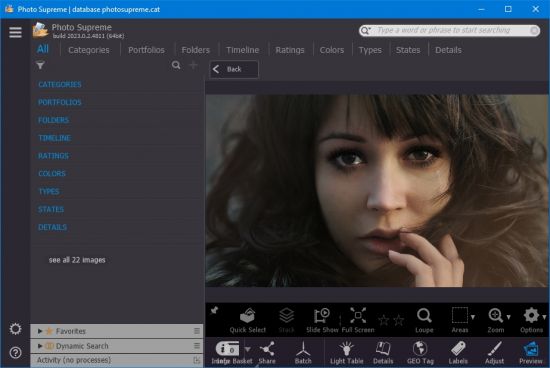
We are pleased to introduce the latest Photo Supreme version, a new generation of our full-featured Asset Management software. This major upgrade includes Face Recognition, Image Attachments, additional management features, and refinements to current functionality. It's faster, smoother, and more robust. The new 2024 version paves the path for more effective image management by using Artificial Intelligence.

The Significance of Image Cataloging
In our visually-driven digital landscape, image cataloging is indispensable. Efficient organization of images simplifies retrieval and maximizes utility. Beyond enhancing accessibility, cataloging expedites professional tasks like presentations/sharing/research and preserves memories for future generations. Whether for personal or business use, a well-structured image catalog ensures that visual assets are readily available, unlocking their full potential in various contexts.

Advanced search capabilities
When looking for that one image, Photo Supreme will help you with deep text searches, tag searches, duplicate detection and cleanup, similarity detection, dynamic search combinations and advanced filtering.

Limit access to those who need it
The Server Edition allows you to control who gets access to what parts of your Catalog. You are in control.

Get organized
Organize your images in Portfolios and Collections. Use Standard Collections for your manual selection of images or create Dynamic Collections, populated with the result of your search conditions.

Artificial Intelligence
Photo Supreme offers integrated Face Recognition capabilities and integrates with Google Vision to bring the most advanced technology available today to your desktop. Use Artificial Intelligence to help you jump start your cataloging by automatic labeling, object recognition, landmark recognition and face detection.

Keyword tagging
Tagging your images has never been easier. GEO tagging, parent cascading, face tagging, and automatic metadata enrichment are just a few of many features.

​Multi tab browsing
Photo Supreme brings tabbed browsing to your image archive. Take advantage of having multiple sets open at the same time. Tabbed browsing consumes less memory and operating system resources than tiled window browsing.

Image Attachments
If you have related files, documents, or websites that provide additional information or context to an image, linking them can help keep everything organized.

Stacking and Multi Version Control
Logically keeps your pictures together so you can find them again more easily. Create stacks and version set manually or automatically based on your matching rules.

Metadata standards
Photo Supreme is built with the underlying concept: "Your data is Your data". Therefor Photo Supreme strives to adopt and follow the metadata standards in full: IPTC, Exif, XMP, and MWG. Photo Supreme won't lock you in and interoperates with other software that supports these standards. Let your data travel with your needs.

100% Cross Platform
From the ground up, Photo Supreme is designed to be used on Windows and macOS platforms. The feature set for both platforms is identical. No compromises have been made. Windows 11 and macOS Ventura are supported. Photo Supreme runs natively on macOS Silicon (M) processors without the need for Rosetta2.

Features
Advanced search capabilities
Multi tab browsing
Stacking and Versioning
Import & ingest images
Side-by-side, light table comparison (up to 12 images)
Keyword tagging
Advanced GEO tagging
Image organization in albums/portfolios
Folder Verification and Syncing (optionally run this automatically, scheduled in time)
Duplicate detection and cleanup (find identical or similar files)
Share images with Flickr, Smugmug, Zenfolio, FTP, e-mail
Dual monitor support
Creative Commons support
Lossless image editing
Supports Darwin Core metadata
Spell Checker
Dynamic Collections (Build rules that define a collection of images)
Native 64-bit software on macOS and Windows
Supports Intel as well as Apple Silicon (M) Processors
Integrated Face Recognition without having to call 3rd party services.
Artificial Intelligence using Google Vision
Face detection
Object recognition
Landmark detection
Area tagging (including IPTC regions and MWG regions support​)
Extensible metadata with custom field definitions
Take your previews with you while travelling
Color managed
Export and Import to/from CSV files
Fully scriptable
Single User or Multi-User network/server version
English, French, German, Dutch, Russian, Italian, Spanish, Portuguese, and Korean locale
Full HD, 2K, 4K, 5K, Retina screen resolutions supported

What's new
https://www.idimager.com/what-s-new-in-photo-supreme-2024


Requirements: Windows 7, 8, 8.1, 10 or 11. Windows 10 or higher recommended

Homepage
https://www.idimager.com


HyperSnap 9.5.0

Posted by: Kalpatru on 23-04-2024, 11:05
HyperSnap 9.5.0

HyperSnap 9.5.0

Windows x86/x64 | English | File size: 43.28 MB


HyperSnap 9 is the fastest and easiest way to take screen captures from Windows screen. HyperSnap combines the power of a first-class screen capture application with an advanced image editing utility - wrapped into one easy-to-use tool. Windows 10 and 11 only.

HyperSnap is perfect for capturing images and texts that you want to include in your Help system, online tutorials, manuals, training handouts, presentations, marketing materials, Web pages, emails and more. Use HyperSnap to quickly share a picture-perfect representation of anything on your screen.

Top Features
• Image captures from any where on the screen or multiple monitors, in any shape or size.
• New & powerful image capture, editing, annotation and manipulation tools. Objects drawn over images can now be selected, edited, shown and hidden, moved, deleted any time. A new native file format saves the objects drawn for further editing later, or save a standard image and have the object "imprinted" permanently on them.
• Unlimited undo/redo.
• Capture dropdown menus and lists with hotkey feature or delayed capture.
• Image stamps, frames, drop shadow, free-hand capture, FTP server uploads, more.
• Automatic color substitution.
• Non-rectangular window capture.
• Button Capture - perfect for professional technical writers who need to snap and document dozens of buttons!
• Auto-scrolls and concurrently captures long web pages and other. documents, enabling it to grab more than is visible on the screen.
• Tightly integrates with the MS Windows clipboard to automate repetitive tasks - will even automatically PASTE capture images where needed!
• Automatically saves your captures to graphics files.
• Doubles as effective image viewer, format converter (over 20 image formats supported).
• Fully customizable user interface. Rearrange menus and toolbars any way you want, assign any keyboard shortcuts you like, tear off menus to create instant toolbars, even control HyperSnap with voice commands!

Much, much more!.

Whats New
http://www.hyperionics.com/hsdx/changelog.asp


Current version 9 of HyperSnap - for Windows 10 and 11

Homepage
http://www.hyperionics.com/


Buy Premium Account From My Download Links And Get Resumable Support & SUPER Fastest Download Speed

https://rapidgator.net/file/5a0c5f38945dd80203d9eb6107a14d9c/HyperSnap.9.5.0.rar.html

https://ddownload.com/olzpfu2qzb5n/HyperSnap.9.5.0.rar

Glary Utilities Pro 6.9.0.13 Multilingual

Posted by: Kalpatru on 23-04-2024, 11:03
Glary Utilities Pro 6.9.0.13 Multilingual

Glary Utilities Pro 6.9.0.13 Multilingual

File size: 28.5 MB


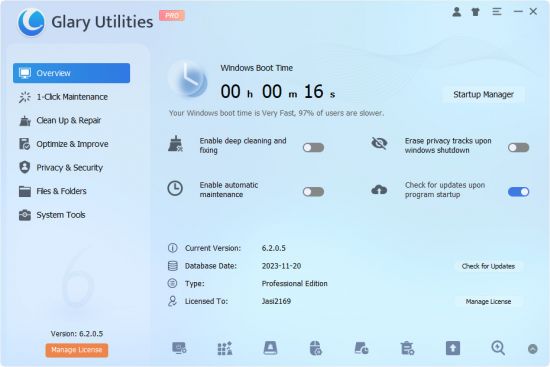
Glary Utilities is the number-one pro and all-in-one utility for cleaning and maintaining your PC. It includes more than 20 tools to maximize your computer's performance.

One-click Maintenance
One-click maintenance Integrates frequently used functions together. One-click to clean up junk files, fix system errors, clear privacy records, and optimize computer performance.

Free Up Drive Space
Disk Cleanup searches for old temporary files, obsolete installation files, log files, internet history and cache, error reports, save offline content and error logs etc. that you can safely delete on your computer.

Prevent errors or crashes
Based on years of experience, Glary Utilities can more safely clean up the errors in your registry to prevent some inexplicable program errors or system crashes. Also it can detect and fix disk corruption.

Make your computer run faster
Is your computer getting slower? Glary Utilities can help you identify and disable unnecessary startup programs that take up resources, or uninstall infrequently used software to free up more hard disk space.

Protect Your Privacy
Your browser will record the URL you have visited, and some software will also save the name of the file you opened last time. Glary Utilities can help you find and delete them. Glary Utilities can also help you completely delete files so that they cannot be recovered.

Keep Your Software Update To Date
The newer version of the software usually has better functions, higher performance, fixes bugs and vulnerabilities, and has better security, Glary Utilities can help you discover and update new versions in time.

Recover Lost or Deleted Files
Did you accidentally delete an important file? Did you also empty the Recycle Bin? Don't worry. Glary Utilities can help you find and restore them quickly.

Analyze Disk Space Usage
Are you running out of hard drive space? And you want to know which files or folders take up the most space? Disk Space Analyzer can quickly scan your hard disk and show you them sorted by size.

Find and Remove Duplicate Files
You may have downloaded the same file twice or backed up the same file twice. Duplicate Files Are Big Disk Space Hogs. Dupliate Finder can help you find and delete them.

Whats New

Optimized Disk Cleaner: Added support for 'Thorium' and 'Foxit PDF Reader 2024'.
Optimized Tracks Eraser: Added support for 'Thorium' and 'Foxit PDF Reader 2024'.
Optimized Uninstaller Manager: Optimize the algorithm for the Email menu in the taskbar to improve user experience.
Minor GUI improvements
Minor bug fixes

Homepage
https://www.glarysoft.com/


Glary Malware Hunter Pro 1.183.0.804 Multilingual

Posted by: Kalpatru on 23-04-2024, 11:00
Glary Malware Hunter Pro 1.183.0.804 Multilingual

Glary Malware Hunter Pro 1.183.0.804 Multilingual

File size: 48.7 MB


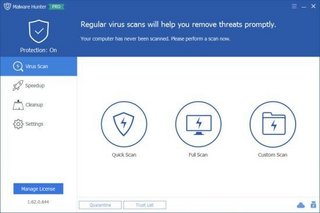
Detects malicious files on your computer and erases dangerous content, allowing you to run on-demand scans of important system areas or specific files. As suggested by its name, Malware Hunter is designed to search and eliminate potentially dangerous files and components on your computer, keeping it free from viruses and other types of threats.

-Hyper scan makes you enjoy a faster scanning speed.
-Detect and remove stubborn malware, against potential danger.
-Malware Hunter is an award-winning product that provides comprehensive protection against all types of threats, secures your data, protects your privacy and ensures your PC remains virus-free.

Whats New

Minor GUI improvements
Minor bug fixes

Homepage
https://www.glarysoft.com


Fast Video Cutter Joiner 4.6.2

Posted by: Kalpatru on 23-04-2024, 10:58
Fast Video Cutter Joiner 4.6.2

Fast Video Cutter Joiner 4.6.2

File size: 20 MB


Editing video data can be done in numerous ways, and thanks to the latest advancements in software and online services, cutting, trimming, joining or editing video content has become easier than ever. Fast Video Cutter Joiner aims at offering users a simple, clutter-free desktop solution for either cutting individual video files, or, joining multiple together, therefore making resorting to more complex software or online services not required.

Right from the start, we find out quite quickly that the app is centered on simplicity, and users have an easy choice to make, by selecting to either cut or, join videos. The design, as well as the layout of the interface, isn't elaborate, but we didn't feel that this aspect impeded the app's functionality in any way.

Adding files and initializing the processing is quite straightforward, meaning that even novices won't have any issues.

When it comes to selecting the cutting or joining types, users have a bit more flexibility, in the sense that the application offers two modes, a simple, and a more advanced one. The latter will enable one to select parameters that pertain to the characteristics of the output videos, such as format, as well as audio characteristics.

Last but not least, it is fair to mention that Fast Video Cutter Joiner does come equipped with minor playback capabilities, in the form of a rudimentary player, which allows users to preview the loaded video content.

Simple in design, and even simpler in handling, Fast Video Cutter Joiner can provide average performance for the user who seeks a way of quickly cutting or joining video clips.

What's New
official site does not provide any info about changes in this version.

Homepage
http://www.videocutterjoiner.com/


EaseUS Partition Master 18.5.0 Build 20240321 Multilingual

Posted by: Kalpatru on 23-04-2024, 10:56
EaseUS Partition Master 18.5.0 Build 20240321 Multilingual

EaseUS Partition Master 18.5.0 Build 20240321 Multilingual

All Editions | File size: 105 MB


EaseUS Partition Master is a all-in-one partition solution and disk management software. It allows you to extend partition (especially for system drive), manage disk space easily, settle low disk space problem on MBR and GPT disk.

EASEUS is one of the leading brands of disk management utilities. It got there by constantly raising the stakes and keeping the users more than pleased. The demands being met, all they had to do is take it up a notch. Partition Master Free Edition addresses the home users and brings three powerful and precise tools to the table: Partition Manager, Partition Recovery Wizard and Disk & Partition Copy.

EaseUS Partition Master Server Edition is an ALL-IN-ONE Windows Server partition manager and reliable disk management toolkit. It performs needed hard disk partition maintenance and provides powerful data protection and disaster recovery. Moreover, it minimizes server downtime to increase the efficiency of Windows-based system administration.

EASEUS Partition Master Unlimited Edition is an ALL-IN-ONE partition solution and reliable PC and Server disk management toolkit. Especially for large enterprise users. It allows unlimited usage within your company.

EASEUS Partition Master Technician Edition is an ALL-IN-ONE partition solution and reliable PC and Server disk management toolkit. It offers technical services with unlimited usage for IT professionals, system administrators, technicians and consultants.

Features
Extend NTFS system partition without rebooting to maximize PC performance.
Convert dynamic disk to basic disk and convert FAT to NTFS file system.
Convert primary partition to logical partition and vice versa.
Safely merge two adjacent partitions into a bigger one without data loss.
Convert a primary volume to logical to create a fifth volume on a disk with 4 existed primary volumes.
Linux partition management. Easily delete, create, format, recover EXT2, EXT3 partition, etc.
Create WinPE rescue disk for booting sickly computer.
Speed up your computer by defragmentation.
Support all hardware. RAID, removable storage device, hard disk, GPT disk and FAT, NTFS, EXT2, EXT3 file system.
Work on both BIOS-based and UEFI-based hardware.
Convert MBR to GPT disk, and convert GPT to MBR disk without data loss.

Disk and Partition Copy Wizard
Migrate OS to SSD without reinstalling Windows
Copy partition with fast file-by-file copy to protect your data
Clone entire hard disk to another without Windows reinstallation
Upgrade system disk to a bigger one with one-click.
Safely copy dynamic volume to basic disk and resize the basic disk, etc.

Partition Recovery Wizard
Recover deleted or lost partitions from unallocated space due to any PC failure or virus attack.
Recover deleted or lost partitions after repartitioned hard drive.
Two recovery modes in Partition Recovery Wizard. Automatic recovery mode and Manual recovery mode.
Supports FAT, NTFS, EXT2 and EXT3 partition recovery.

New Features
Applied unified interactive elements
Improved the interactive process of Disk Copy function
Perfected the interactive process of Partition Recovery function
Ameliorated the interactive process of Bootable Media function
Added Disk Converter function into the toolbar as a key feature

Whats New
https://www.easeus.com/partition-manager/history.html


Homepage
https://www.easeus.com


Cloanto C64 Forever 10.3.2 Plus Edition

Posted by: Kalpatru on 23-04-2024, 10:54
Cloanto C64 Forever 10.3.2 Plus Edition

Cloanto C64 Forever 10.3.2 Plus Edition

File size: 135 MB


When the C64 was launched by Commodore in 1982 it immediately set the standard for 8-bit home computers. Its low cost, superior graphics, high quality sound and a massive 64 KB of RAM positioned it as the winner in the home computer wars, knocking out competitors from the likes of Atari, Texas Instruments, Sinclair, Apple and IBM.

Selling over 30 million units and introducing a whole generation to computers and programming, the C64 shook up the video games industry and sparked cultural phenomena such as computer music and the demoscene. In recent years the C64 has enjoyed a spectacular revival manifesting itself once again as a retrocomputing platform.

To allow you to experience and relive the wonders of this unique computer, Cloanto, developers of Commodore/Amiga software since the 1980s, has introduced C64 Forever, the official CBM 8-bit preservation, emulation and support package. C64 Forever embodies an intuitive player interface, backed by a built-in database containing more than 5,000 C64 game entries. Support for the innovative RP9 format allows for advanced title authoring, preservation and easy cross-platform playback.

C64 Forever shares the same RetroPlatform family player, database and content management components as the very successful Amiga Forever series. As such, it also embodies decades of experience and refinements and a tradition of innovation and long-term continuity and support.

Compared to other solutions for different systems, C64 Forever stands out for features which include the following
Smooth setup: it only takes a few mouse clicks to install and run (no additional downloads required)
Intuitive, simple and refined user interface, in which player, content, database and search are seamlessly integrated (not just a "front end" that launches an external emulator)
An accurate onscreen keyboard is available for each emulated computer model, with custom mapping and shortcut options
General and title-specific game controller personalization, including support for Xbox, X-Arcade and I-PAC controllers, and custom keyboard layouts
Virtual mouse allows editing cursor to be repositioned with a click on all 8-bit models
Support for the innovative RP9 format (one click to play, one file per title, no need to zip or unzip games or manage multiple disk images, etc.)
Create and edit your own titles, then run them anywhere and any time (RP9 files are self-contained, no database required)
Superior RP9 Title Editor blends advanced configuration options with professional content authoring features
Rather than requiring deep technical knowledge in order to avoid non-functioning configurations, the configuration editor was designed to exclude "impossible" scenarios to begin with
Support and recognition of other popular disk, tape, cartridge and save state formats, with options to identify uncataloged similar variants (not a simple "checksum" approach)
Built-in RetroPlatform Library database featuring thousands of titles, with online updates
Automatic, Unicode-aware conversion between host (PC) keyboard, clipboard, and guest (emulation) character set
If you know how to use Amiga Forever you are instantly familiar with C64 Forever, and vice versa
Integration with social networks (Discord, Facebook, etc.) for "Now Playing" updates, manual posts and screenshot uploads
Built-in search-as-you-type for installed content and custom one-click internet search for games and demoscene productions
Official emulation solution with legal CBM system ROMs
Tested on the latest versions of Windows (both x86 and x64)

Whats New
http://www.amigaforever.com/whatsnew/


Homepage
http://www.amigaforever.com/


Broadgun pdfMachine 20.14

Posted by: Kalpatru on 23-04-2024, 10:52
Broadgun pdfMachine 20.14

Broadgun pdfMachine 20.14

All Editions | File size: 18.3 MB


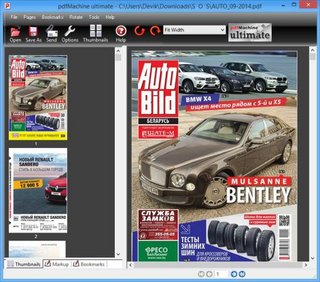
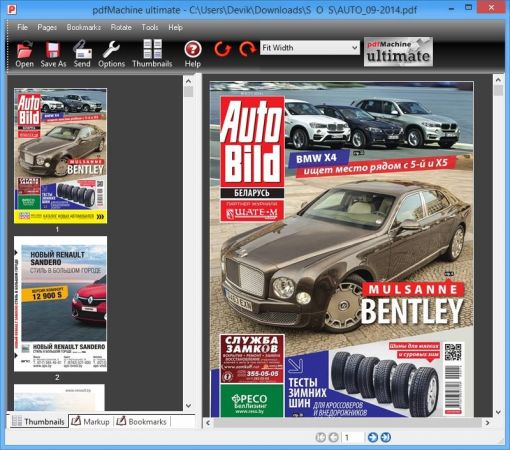
pdfMachine converts a print stream from an application directly into a PDF. Once you have installed the pdf writer, open your document that you want to convert, then click "print", select the "Broadgun pdfMachine printer" and that's it - you have a PDF!Integrity:
PDF documents generated by pdfMachine, when printed or viewed, maintain the integrity of all formatting in the original document. PDF files preserve documents formats independent of software, hardware, or operating system used to generate the original file. They can be opened, read and printed by many free PDF readers available on the web, and viewed on operating systems such as Windows, MacOS, and Unix variants.

Technology:
PDF format is the best document format for long-term digital archival. Often software becomes obsolete, rendering some documents unreadable by current technology. Widely published formats, such as PDF, are more future proof that proprietary formats such as MS Word. In 50 years time, even if PDF's are not used anymore, all you need is the PDF specification and you can have a viewer developed to read your documents.

Searchable:
PDF has the ability to store text in a searchable form.

Browsers:
PDF files can be viewed within Netscape and Internet Explorer. These files can then be saved for off-line use or printed. This makes for easy use within an intranet or website.

Colour and Size:
PDF files enable sharp, colour-precise printing on most printers with precise onscreen colour match regardless of monitor brand. Users can magnify documents up to 800% without the loss of clarity in text or graphics. PDF files can be optimized and are often smaller than conventional document formats.

Whats New
http://www.pdfmachine.com/genp/release_history.html


Homepage
http://www.pdfmachine.com/


App Builder 2024.18 (x64)

Posted by: Kalpatru on 23-04-2024, 10:50
App Builder 2024.18 (x64)

App Builder 2024.18 (x64)

File Size: 206 MB


Complete suite to create HTML5 and hybrid mobile applications.

Adobe Photoshop 2024 v25.7.0.504 (x64) Multilingual

Adobe Photoshop 2024 v25.7.0.504 (x64) Multilingual
File Size: 2.9 GB

Reimagine reality with Photoshop. Millions of designers, photographers, and artists around the world use Photoshop to make the impossible possible. From posters to packaging, basic banners to beautiful websites, unforgettable logos to eye-catching icons, Photoshop keeps the creative world moving. With intuitive tools and easy-to-use templates, even beginners can make something amazing.

4DDiG File Repair 3.1.6.2 Multilingual

Posted by: Kalpatru on 23-04-2024, 10:48
4DDiG File Repair 3.1.6.2 Multilingual

4DDiG File Repair 3.1.6.2 Multilingual

File size: 170.55 MB


Even when shot with a good phone or a camera, photos and videos might still not meet your requirements in terms of quality. Editing graphics and footage is regular to experts, but there are applications out there that can help any passionate photographer and videographer enhance their work. One of them is called 4DDiG File Repair, a simple yet efficient tool that can improve the quality of both videos and photos in batch mode.

EaseUS Partition Master 18.5.0 Build 20240321 Multilingua

EaseUS Partition Master 18.5.0 Build 20240321 Multilingua
EaseUS Partition Master 18.5.0 Build 20240321 Multilingual
All Editions | File size: 105 MB

EaseUS Partition Master is a all-in-one partition solution and disk management software. It allows you to extend partition (especially for system drive), manage disk space easily, settle low disk space problem on MBR and GPT disk.

Fast Video Cutter Joiner 4.6.0

Fast Video Cutter Joiner 4.6.0
File size: 20 MB

Editing video data can be done in numerous ways, and thanks to the latest advancements in software and online services, cutting, trimming, joining or editing video content has become easier than ever. Fast Video Cutter Joiner aims at offering users a simple, clutter-free desktop solution for either cutting individual video files, or, joining multiple together, therefore making resorting to more complex software or online services not required.

Yamicsoft Windows 10 Manager 3.9.4 Multilingual

Yamicsoft Windows 10 Manager 3.9.4 Multilingual
File size: 32.1 MB

Yamicsoft Windows 10 Manager is a system utility that helps you optimize, tweak, repair and clean up Windows 10. It will increase your system speed, eliminate system fault, improve system security, and meet all of your expectations. Windows 10 Manager is a system utility that helps you optimize, tweak, repair and clean up Windows 10. It will increase your system speed, eliminate system fault, improve system security, and meet all of your expectations.

Broadgun pdfMachine 20.14

Broadgun pdfMachine 20.14
All Editions | File size: 18.3 MB

pdfMachine converts a print stream from an application directly into a PDF. Once you have installed the pdf writer, open your document that you want to convert, then click "print", select the "Broadgun pdfMachine printer" and that's it - you have a PDF!

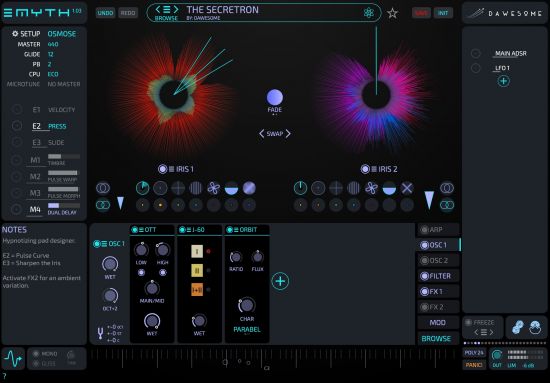
Tracktion Software Dawesome Myth v1.0.9 U2B macOS

Tracktion Software Dawesome Myth v1.0.9 U2B macOS
MORiA | AUi | VST3i | 137.3 MB

A Living Beast
MYTH was built to create the joy and inspiration we feel when playing with hardware. Instead of "programming" sounds you create sounds by exploration and tweaking. The sound is rich and organic, and the entire system acts like one organism.

Internet Download Manager 6.42 Build 8 Multilingual + Retail

Internet Download Manager 6.42 Build 8 Multilingual + Retail
File size: 23.2 MB

Internet Download Manager has a smart download logic accelerator that features intelligent dynamic file segmentation and safe multipart downloading technology to accelerate your downloads. Unlike other download accelerators and managers that segment files before downloading starts, Internet Download Manager segments downloaded files dynamically during download process.

μTorrent Pro 3.6.0 Build 47062 Multilingual

Posted by: Kalpatru on 23-04-2024, 05:16
μTorrent Pro 3.6.0 Build 47062 Multilingual

μTorrent Pro 3.6.0 Build 47062 Multilingual

File size: 33.8 MB


μTorrent - a quick, easy, free and compact torrent klent. Client μTorrent, today, is one of the most popular solutions for network BitTorrent. The program combines optimum functionality with a small amount. Supports the work regardless of the trekkers, lets you download multiple files at once, has a customizable bandwidth, rapid restoration of interrupted downloads, and more.

μTorrent Pro 3.6.0 Build 47062 Multilingual Portable

Posted by: Kalpatru on 23-04-2024, 05:14
μTorrent Pro 3.6.0 Build 47062 Multilingual Portable

μTorrent Pro 3.6.0 Build 47062 Multilingual Portable

File size: 51.8 MB


μTorrent - a quick, easy, free and compact torrent klent. Client μTorrent, today, is one of the most popular solutions for network BitTorrent. The program combines optimum functionality with a small amount. Supports the work regardless of the trekkers, lets you download multiple files at once, has a customizable bandwidth, rapid restoration of interrupted downloads, and more.

Zortam Mp3 Media Studio Pro 31.75 Multilingual

Posted by: Kalpatru on 23-04-2024, 05:12
Zortam Mp3 Media Studio Pro 31.75 Multilingual

Zortam Mp3 Media Studio Pro 31.75 Multilingual

File size: 71.8 MB


Zortam Mp3 Media Studio is all-in-one Mp3 application that contains Mp3 ID3 Tag Organizer for searching and cataloguing Mp3 files into Mp3 library, editing ID3v1 and ID3v2.4 tags (ID3 Tag Editor-Mp3 Tag Editor), CD Ripper with album cover art/lyric support that uses CDDB (Internet Compact Disc Database) and automatically writes ID3v1 and ID3v2.4 tags. CD Ripper downloads album cover arts and lyrics from the interenet as you rip your CD (CD Ripper with lyric/cover art support), Mp3 Normalizer with custom volume level allows normalization of your Mp3's (Batch Mp3 Normalizer), search for song lyric from the internet (Batch Lyric Finder), search for album cover (album) arts (pictures) from the internet (Batch Cover Finder), batch lyrics and cover art finder from the internet (Batch Lyric-Cover Finder).

XYplorer 25.90 Multilingual

Posted by: Kalpatru on 23-04-2024, 05:10
XYplorer 25.90 Multilingual

XYplorer 25.90 Multilingual

File size: 7 MB


XYplorer is a file manager for Windows. It features tabbed browsing, a powerful file search, a versatile preview, a highly customizable interface, optional dual pane, and a large array of unique ways to efficiently automate frequently recurring tasks. It's fast, light, and portable.

Wondershare UniConverter 15.5.7.61 (x64) Multilingual

Posted by: Kalpatru on 23-04-2024, 05:08
Wondershare UniConverter 15.5.7.61 (x64) Multilingual

Wondershare UniConverter 15.5.7.61 (x64) Multilingual

File Size: 254.6 MB


UniConverter - Best Video Converter Ultimate. Convert, Download, Compress, Edit, Burn Videos in 1000 formats and do more.

Wondershare UniConverter 15.5.7.61 (x64) Multilingual Portable

Posted by: Kalpatru on 23-04-2024, 05:06
Wondershare UniConverter 15.5.7.61 (x64) Multilingual Portable

Wondershare UniConverter 15.5.7.61 (x64) Multilingual Portable

File Size: 254.6 MB


UniConverter - Best Video Converter Ultimate. Convert, Download, Compress, Edit, Burn Videos in 1000 formats and do more.

Wise Care 365 Pro 6.6.7.637 Multilingual

Posted by: Kalpatru on 23-04-2024, 05:04
Wise Care 365 Pro 6.6.7.637 Multilingual

Wise Care 365 Pro 6.6.7.637 Multilingual

File size: 19.8 MB


Clean registry and junk files from your PCs. Protect your privacy and make your PCs more secure. Provide a better option for optimizing and accelerating your computer!

Windows Firewall Control 6.10 Multilingual

Posted by: Kalpatru on 23-04-2024, 05:02
Windows Firewall Control 6.10 Multilingual

Windows Firewall Control 6.10 Multilingual

File size: 2.7 MB


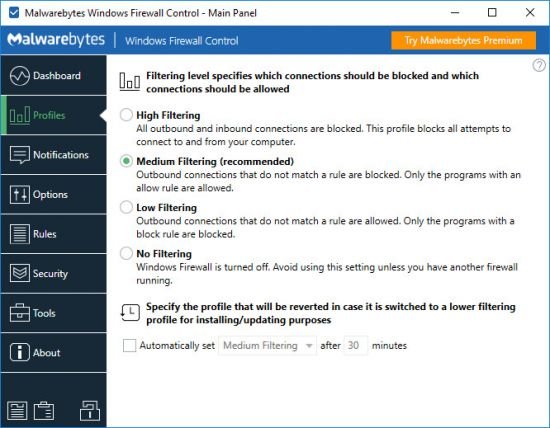
WWindows Firewall Control is a powerful tool which extends the functionality of Windows Firewall and provides new extra features which makes Windows Firewall better. It runs in the system tray and allows the user to control the native firewall easily without having to waste time by navigating to the specific part of the firewall. This is the best tool to manage the native firewall from Windows 10, 8.1, 8, 7, Server 2016, Server 2012.

WebMinds NetOptimizer 6.2.1.20 Multilingual

Posted by: Kalpatru on 23-04-2024, 05:00
WebMinds NetOptimizer 6.2.1.20 Multilingual

WebMinds NetOptimizer 6.2.1.20 Multilingual

File Size: 10 MB


Speed Up Your Internet with NetOptimizer™, Give your slow Internet connection the speed and power you deserve! With NetOptimizer™, you'll finally get what you're paying for and enjoy the Internet at maximum available speeds as promised by your ISP.

StartAllBack 3.7.9.4905 Multilingual

Posted by: Kalpatru on 23-04-2024, 04:58
StartAllBack 3.7.9.4905 Multilingual

StartAllBack 3.7.9.4905 Multilingual

File Size: 2 MB


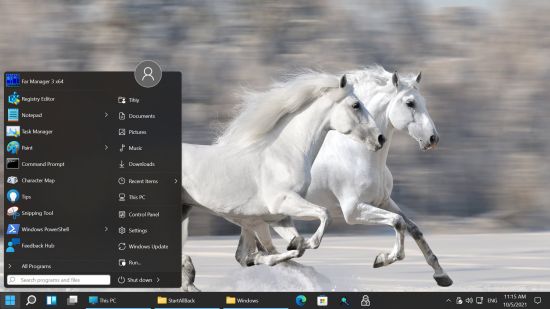
Introducing StartAllBack: Windows 11 from better timeline, Embrace, enhance, unsweep classic UI from under the rug.